
Welcome
-
Welcome -
New Year—same game.The WMS Winter 3v3 returns on New Year’s Day for a day packed with festive competition. Join us on January 1 for a one-day tournament that keeps the same great energy of fast-paced games, creative team names, and holiday spirit going into 2026!
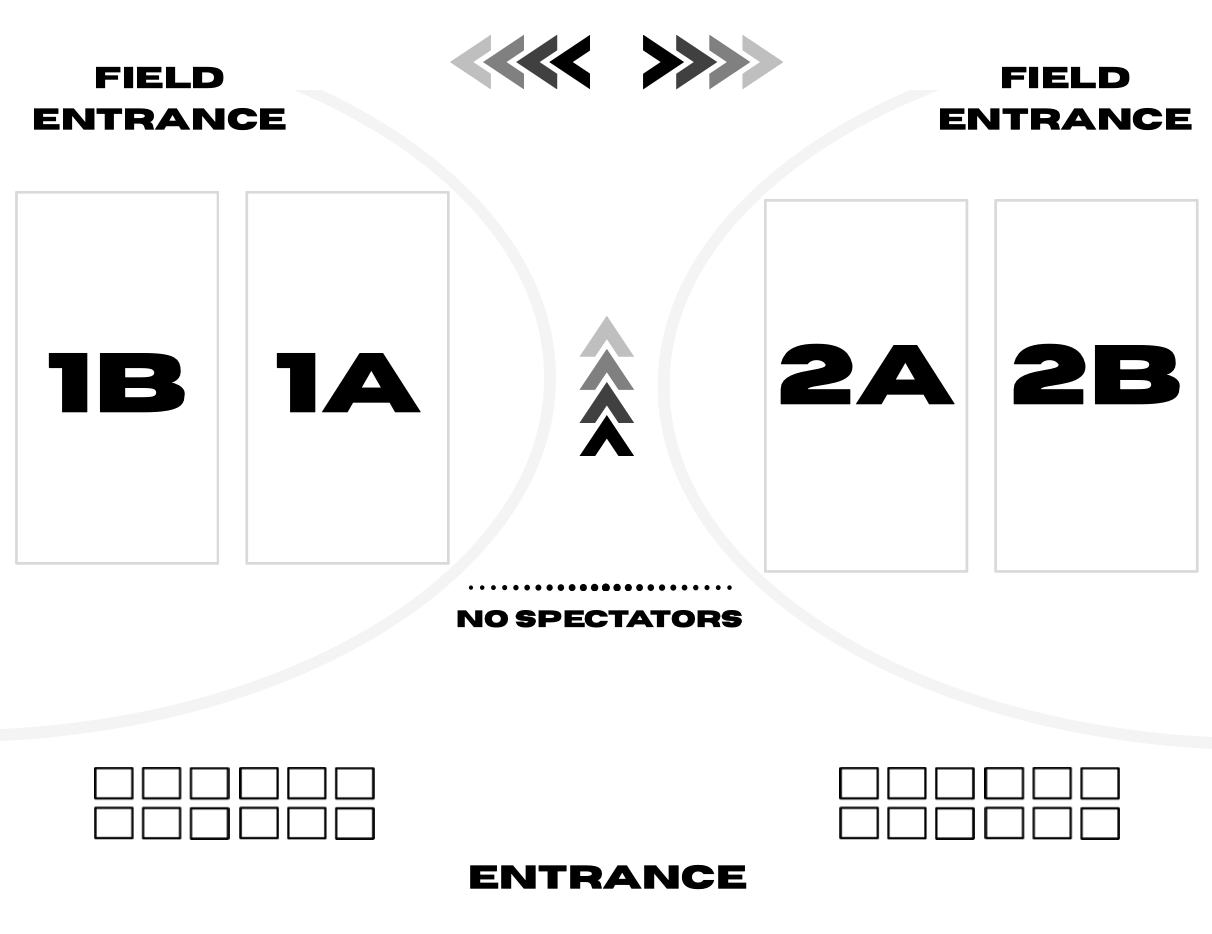
FACILITY MAP
Looking for your field at MSA Shoreline? We’ve got you covered.
Please keep all personal belongings organized and away from the fields. Each field has a designated area prior to entering the boarded field which can be used to store non-essential gameplay items (EX: Bags, shoes, coats, etc.)
Water only allowed on turf! No food or non- clear drinks.
Only team personnel (players + coaches) are allowed on the turf.
NO SPECTATORS ALLOWED IN TEAM AREA.
INFORMATION
-
Date: Thursday, January 1, 2026
Location: MSA Shoreline | 6875 Norton Pines Dr, Norton Shores, MI 49456
Format: 3v3 turf competition (no keepers)
Gameplay: 3 guaranteed games | Continuous 20 minutes
-
$150 per team
Divisions offered for U8 (2018) – U19 (2007) Boys & Girls
Division Levels:
Elite (MLS NEXT / NLC / ECNL / GA)
State-Level (DA / MSPSP)
Higher-Level Select (GVSA Elite - DII )
Lower-Level Select (GVSA DIII - V)
Rec (616 / AYSO Rec / YMCA)
-
Awards
Champion t-shirts for first place in each division
Award for most festive team name and most holiday spirit (best dressed)!
-
An adult over the age of 18 is required to be on the sidelines during gameplay.
Spectators are NOT allowed on the fields.
To view the full WMS 3v3 rules, please select the button below.
REQUIREMENTS
-
Completed online through TeamSnap Tournaments (see section below).
If ALL player information was entered at registration, rosters do not need to be edited in TeamSnap Tournaments.
STEPS TO ADD PLAYERS TO TEAM ROSTER
Login with email used to register the team
Select ‘Upcoming Events’ in the upper left-hand corner
Select ‘Roster’ listed under the team name
Select ‘ADD PLAYER’ and add player’s name, birthdate and email.
NOTE:
Rosters lock at 12:00 AM on January 1. After this time, no changes can be made to the roster.
-
The team coach or manager (who will be checking in the team) is required to hand in a physical copy of the WMS Player Waiver and Agreement form, compete with ALL player names and guardian signatures to check-in
To download the document, view the ‘PLAYER WAIVER’ button below.
-
Team check-in is required prior to the start of your team’s first game. At this time, the TeamSnap Tournament roster will be cross-checked to the physical copy of the completed WMS Team Waiver Form. Approved players to compete will be given a wristband that must be worn during competition.
The waiver will be on-site for teams to complete. For teams looking to complete it in advance, the form can be downloaded and printed below.
IMPORTANT:
ONE form is turned in per team. Players do NOT complete and turn in individual forms.
The team main contact must check-in the team. Parents do NOT individually check players in.
Players do NOT need to be present.
-
Completed at registration.


